


Ring flow
Everyone rings at once
Your team’s cells and desk phones ring together. Cells receive a press-1 prompt to accept the call.
Connect your cell phones and compatible desk phones to your business number. Your team rings first. If nobody answers within the time you set, Kai takes the call and sends the details to your team.
Your phones ring first
Cells and desk phones, all at once
Kai answers missed calls
Answers when nobody picks up in time
Call history
Summaries and recordings when enabled
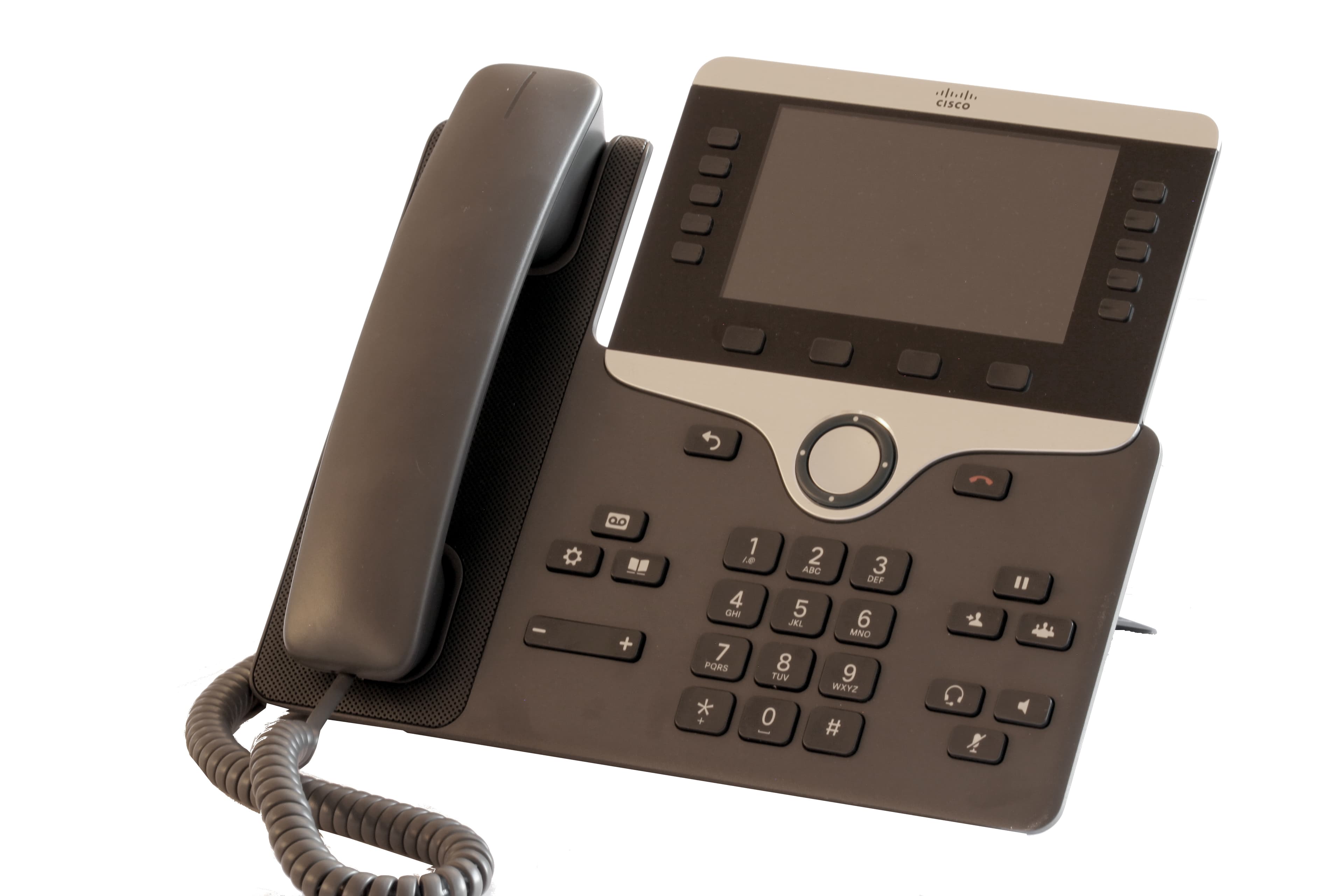
The cell phones and desk phones in this example ring group receive the call.
On a cell, press 1 to accept. You choose which phones ring and for how long.
Set how long your team rings before Kai answers.
Overview
Forward your existing number or arrange an office-number transfer. Add team phones, choose the ring time, and set what Kai does when nobody answers. Call history keeps the available details together.
Choose the phones that ring, the ring time, and how Kai handles unanswered calls.
Ring flow
Your team’s cells and desk phones ring together. Cells receive a press-1 prompt to accept the call.
Overflow
When nobody picks up in the time you set, Kai answers as your business, takes the details, books or routes, and texts you what happened.
Record
Review recordings, transcripts, and summaries when recording is enabled, including calls your team answers. Configure owner notifications with a recording link.
Call 700
Dial 700 from any office phone, or call your own number from a registered cell, and ask what you missed, change hours, or add a teammate’s phone.
Phones
Add teammates’ cells and they ring in the group and are recognized when they call in. Bring a compatible SIP desk phone or contact us for phone availability and delivery details. Confirm the office address for emergency calling before connecting a desk phone.
Your number
Forward your line or arrange an office-number transfer. Transfers usually take 1 to 3 weeks and require your approval of the date. A personal cell stays with its current carrier.
Review the requirements, controls, and service details before using this with customer calls.
Add the team numbers that should ring. Choose the ring duration and unanswered-call destination. Connect compatible desk phones if needed and confirm the emergency-calling address. Test an answered call and an unanswered call before forwarding your business number.
Phone system setup guideChoose routing per number, including direct Kai answering, ring-first, voicemail, time-based rules, and caller screening. Configure the transfer destination and what happens when nobody answers. Calls answered on a cell cannot yet be transferred to the office or put on hold.
Routing controlsForward your existing number or arrange an office-number transfer. Forwarding options depend on the carrier. Keep your old service active until the transfer is confirmed. SMS requires an eligible, registered sender; moving a number does not replace messaging setup.
Messaging requirementsCheck the phone resources included in your plan. Additional numbers and office connections cost extra. A connection does not include a physical handset. Contact us for compatible phones and delivery details. Telecom taxes and regulatory fees are separate invoice items.
Phone resources and pricingHow it works
Customers continue dialing your existing business number after forwarding or number transfer is complete.
Cells and desk phones ring together for the time you set. On a cell, press 1 to take the call.
Kai answers as your business, gets what the caller needs, and handles the next step you have set up.
Receive caller details and a recording link when recording is enabled. Dial 700 from an office phone to ask Kai about missed calls.
Why KaiCalls
Your team answers first. Kai handles unanswered calls, and the available call details stay in your account.
With ring-first routing, your team gets the first chance to answer. Kai answers after the ring time you set.
Review available recordings, transcripts, and summaries for calls your team answered when recording is enabled.
Dial 700 from a desk phone or call your line from your cell. Ask what you missed, change hours, add a teammate’s phone. You can also manage settings in the dashboard.
The same core calling features are available across plans. Answered-call allowances and office-line capacity vary by plan; the catalog below shows the included connections. Hardware is sold separately. Contact us for compatible phones, costs, and delivery details. See pricing for extra numbers and office connections. Regulatory fees and taxes are shown separately on the invoice.
Kai Backup
$10/mo
~20 Kai-answered calls/mo
1 phone line and 0 desk-phone connections included, unlimited teammate cells.
Plus about $4 in regulatory fees and taxes, on their own line.
Your phone system is included
Kai Line
$79/mo
~170 Kai-answered calls/mo
1 phone line and 0 desk-phone connections included, unlimited teammate cells.
Plus about $4 in regulatory fees and taxes, on their own line.
Your phone system is included
Kai Office
$349/mo
~800 Kai-answered calls/mo
1 phone line and 3 desk-phone connections included, unlimited teammate cells.
Plus about $13 in regulatory fees and taxes, on their own line.
Your phone system is included
Telecom taxes and regulatory fees depend on your address. See pricing for plan details, trial terms, and call allowances.
See pricingCommon questions
Review the setup requirements and available controls. Contact us to discuss the details for your business.
Yes. You can forward your number so your phones ring first and Kai handles unanswered calls. Forwarding options depend on your carrier. When you are ready, move an office number for good: usually 1 to 3 weeks, we need your carrier account number and transfer PIN exactly as they appear on the bill, and nothing moves until you approve the date. Keep your old service on until we text you it is done. A personal cell stays with its current carrier and forwards to Kai when you cannot answer.
Your cell, teammates’ cells, and desk phones can ring at the same time. Cells receive a press-1 prompt to accept a business call. Add a teammate’s cell and it rings in the group and is recognized when they call in.
You can connect a compatible SIP desk phone using the office-line and desk-phone connections in your plan. A connection does not include a physical handset. If you need us to supply phones, confirm the hardware, cost, delivery, and emergency-calling address before ordering.
Not yet. Your cell rings in the team group, which is the mobile experience for now. Calls answered on a cell cannot yet be transferred to the office or put on hold. To hear what you missed or change how calls flow, call your own number from your registered cell and Kai picks up as your secretary.
Yes, with an eligible number and completed sender registration. Customer texts appear in the dashboard, and you can configure Kai to reply from that number. Confirm messaging setup after a number transfer.
Yes. Build it in the dashboard under Phone Menus: type the greeting, then choose where each key sends callers: your team, one person, their voicemail, or Kai. Pick how long to wait for a key and where the call goes if nobody presses one. You can hear the greeting before you save, and test it with a call.
Desk phones depend on your office internet and may be unavailable during an outage. If your call flow includes cellular numbers and Kai as fallback destinations, calls can route to those instead. Test this fallback during setup.
When recording is enabled, calls answered by Kai or your team can have recordings, transcripts, and summaries. Owner notifications can include a recap and recording link.
Core features are not tier-gated. The call allowance and office-line capacity included in your plan are shown above. Additional connections, physical hardware, and regulatory fees are separate: See pricing for extra numbers and office connections. For Kai Backup, regulatory fees are about $4 in regulatory fees and taxes, on their own line. Contact us for phone availability and delivery details.
Regulatory fees and telecom taxes depend on your location. We pass them through at cost on a separate invoice line and remit them to the carrier. They apply to the phone-system part of your plan, not the answered-call service. There are no per-minute overage charges.
Get started
Add your business details and team phones, choose the ring flow, and test a call before forwarding your number.