


24/7 answering for Plumbing

Plumbing Call Answering
for Burst Pipes at 2am

Call answering for plumbers, including after-hours calls. Your cell rings first. If nobody answers, Kai takes the call, asks what is leaking and where, sends real emergencies to your on-call plumber, books routine jobs, and texts you a summary.

  • Your cell rings first. Kai answers the calls you miss
  • Burst pipes, backups and leaking water heaters flagged to your on-call plumber
  • A text summary to you after every call Kai answers

Free browser demo; payment required for live phone service. No contracts. No setup fees.

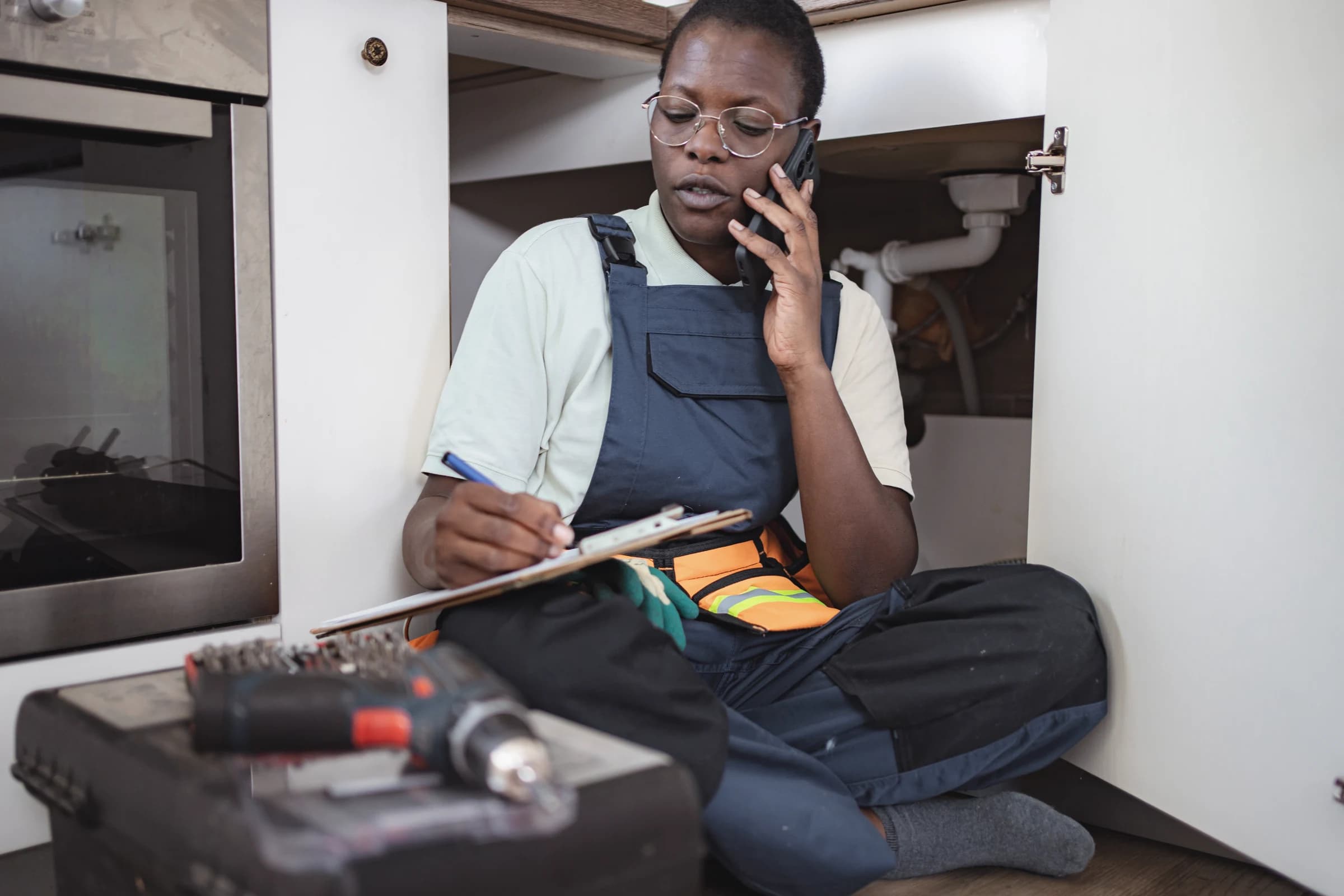
A plumber on a job taking a call and writing notes.
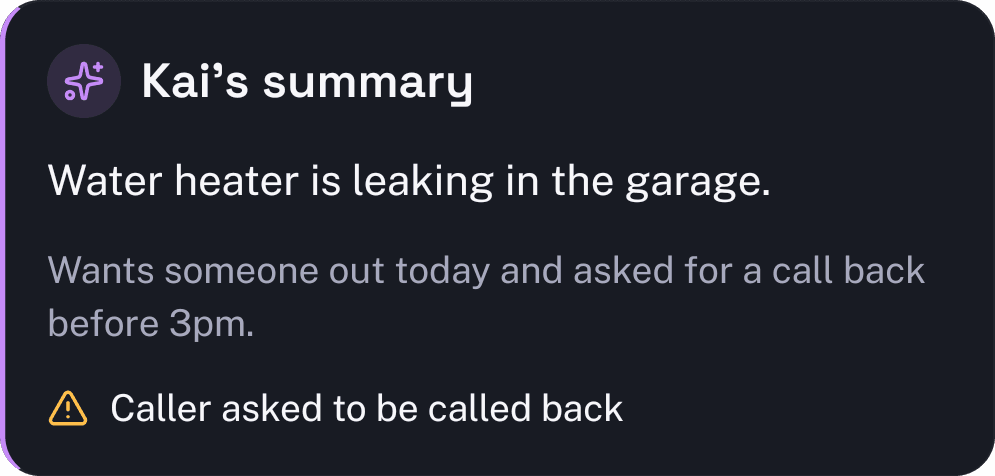
Kai's summary from the KaiCalls app: Water heater is leaking in the garage. Wants someone out today and asked for a call back before 3pm. Caller asked to be called back.

Every call, answered

Your calls list, each one with who called and what they wanted.

Plumbing answering service

The calls a plumbing company gets when nobody can pick up

A plumbing call that hits voicemail is often water on a floor. The caller rings the next plumber in the search results within minutes. These are the calls Kai is set up to sort.

Burst pipe or active leak

Kai asks where the water is coming from, whether the main is shut off, and if water is near outlets or the panel. You can set him to walk the caller to the main shutoff, then the call goes to your on-call plumber.

Sewer backup

Kai asks which drains are backing up, whether it is one fixture or the whole house, and if anyone can avoid using water until a plumber arrives. That tells the tech what to bring.

No hot water

Kai gets the water heater type (gas, electric, tankless), its rough age, and whether it is leaking. A leaking tank can be urgent. A cold shower can usually wait for the morning slot.

Clogged drain or toilet

Routine clogs get booked on your calendar inside the hours you allow, or Kai takes the preferred window for the office to confirm.

Frozen pipes

On the first hard freeze the phone lights up. Kai answers every caller, asks whether a pipe has split or just stopped flowing, and sorts them so the split pipes come first.

Water heater and repipe quotes

Kai asks the size of the home, what is installed now and why they want it replaced, then books or requests an estimate visit.

What happens to a call at 9pm

  1. 1

    Your cell rings first

    Calls ring your phone, or up to five phones in order. Pick up and it is a normal call.

  2. 2

    Kai answers the ones you miss

    If nobody picks up, or it is after hours, Kai answers in the name of your business. Callers reach a plumbing company that answers, not a voicemail beep.

  3. 3

    He asks your questions

    Name, callback number, address, what is wrong and how urgent it is. You decide what counts as urgent and who gets the call.

  4. 4

    Urgent calls reach you

    When a call meets your urgent rules, Kai can transfer it to your on-call number. Everything else waits for the morning with notes attached.

  5. 5

    You get a text

    Seconds after the call ends, you get a text summary: who called, what they need, and how to reach them. The recording and transcript are in the app.

What it costs

Plans start at $10/mo on Kai Backup (~20 Kai-answered calls/mo). Every plan, flat monthly: Kai Backup $10/mo, Kai Line $79/mo and Kai Office $349/mo.

There are no per-minute overage charges. Your plan includes an expected monthly call allowance. If your call volume stays higher, we recommend the next plan and notify you before anything changes. You can choose to keep your current plan, and we move you back down if volume drops.

Every plan includes a business phone number, so you can keep it as your main line or forward only the calls you miss from the number you have now.

See every plan
FIELD GUIDE

How Kai Handles Calls for Plumbing

Kai is trained around the actual calls that reach plumbing teams: urgency, qualification, routing, booking, and follow-up.

Call Types

Kai Separates True Plumbing Emergencies From Routine Work

01

Plumbing calls need fast sorting because a burst pipe cannot wait for a callback. Kai identifies water damage risk before it books the job.

Kai asks what is happening now: active leak, sewer backup, no hot water, clogged drain, frozen pipe, fixture repair, or planned install.

The caller gets simple next-step guidance when the issue is urgent, such as shutting off the water main or avoiding fixture use until the plumber arrives.

Emergency calls

Burst pipes, sewer backups, gas smells, and active flooding get routed to your on-call plumber.

Routine calls

Fixture installs, drain cleaning, water heater estimates, and inspections get booked into normal availability.

Qualification

Every Intake Captures the Details a Plumber Needs

02

Kai turns a messy phone call into a clean job summary your dispatcher can use immediately.

The intake captures property type, service address, unit access, issue location, shutoff status, water damage signs, and customer availability.

Kai also checks service area before dispatch, so the team does not waste time returning calls outside your coverage zone.

Every call
written up with the address and shutoff status
Dispatch Rules

After-Hours Calls Get Routed by Severity

03

Kai keeps nights and weekends organized instead of sending every caller to the same voicemail box.

Active flooding, sewer backups, and safety risks trigger on-call routing. Non-urgent repairs get booked for the next open window.

Kai sends the call summary by text, email, CRM, or field-service software so the plumber knows the problem before calling back.

On-call handoff

Emergency details include address, issue type, shutoff status, and callback number.

Office handoff

Routine jobs arrive with the service request, preferred time, and customer history notes.

Setup Pack // PLUMBING

Open the Plumbing pack and inspect how Kai works.

The pack shows the working configuration behind Kai: the intake fields it asks, the prompt rules it follows, the routing logic it uses, the SMS and owner handoff it produces, and the eval calls it must pass. You can read the parts before you trust the phone line.

Intake Structure

5 required fields and 9 optional fields map the caller into a clean job summary.

Prompt System

9 guardrails control pricing, scheduling, escalation, tone, and what Kai must never promise.

Failure Modes

6 known mistakes are turned into operating rules before Kai ever answers a real call.

Eval Coverage

7 vertical evals test hard callers, edge cases, and setup-specific behavior for this pack.

Sample fields Kai collects
Full name
Best callback number
Service address (street + zip)
Describe the plumbing issue
Example rules loaded into Kai

EMERGENCY PROTOCOL — ACTIVE FLOODING: If caller reports active water pouring, burst pipe, or flooded floor, immediately say: 'First thing — if you haven't already, go find your main water shutoff valve and turn it off. It's usually near the water meter, in...

EMERGENCY PROTOCOL — SEWAGE BACKUP: If caller reports sewage backup or raw sewage smell, say: 'That's a health hazard — don't use any drains or toilets in the house until our plumber assesses it. We're flagging this as urgent.' Set urgency_tier=emergency.

SERVICE AREA CONFIRMATION: Capture zip_code early if service area restrictions are configured. If the zip may be outside the service area, say: 'Let me make sure we serve your area — I'll have the team confirm when they call you back.' Do NOT turn callers a...

FRONT DESK CALL MAP // PLUMBING

Every call your front desk takes

A burst pipe does not wait for business hours. Here is every call your office takes — and the ones Kai answers the moment they come in.

Kai, from the first call
Your team (Kai takes the first touch)
7 of 9 calls covered from minute one

Answer & qualify the call

Answer the service call and capture the details

Greets with your company name, gets the problem, the address, and how soon they need someone out.

Capture the details into the record

Collect the new customer information

Name, service address, callback number, and the source — entered into your CRM on the call.

Book the appointment

Book the job by service type

Offers arrival windows, books the visit, and confirms by text and email.

Triage & route

Screen safety emergency vs. standard job

Distinguishes an active leak or no-water emergency from a routine quote request.

Route the emergency to the on-call tech

Warm-transfers or pages the on-call tech or dispatcher when it cannot wait.

Outbound follow-up

Follow up on the estimate you sent

Calls high-intent quotes back so the job does not go cold on the shelf.

Cancellations & gap-fill

Re-dispatch on cancellations and overruns

Reshuffles the day and offers freed-up windows to waiting customers.

Money & resolution

Collections on an overdue invoiceStays with your team

Working out terms is a human call.

Kai sends the first payment reminder and logs the reply.

Resolve a complaintStays with your team

The callback and the resolution stay with your team.

Kai answers, documents it, and flags it to you immediately.

Kai owns the front-office call — answer, qualify, capture, book, remind, and the first-touch follow-up. The judgment calls — negotiating money, resolving a complaint — stay with your team, and Kai still answers, documents, and hands them straight to you.

Try Free Demo
Who Kai works for

Fix the calls that make customers call someone else

Kai is built for the messy, high-intent moments where speed, context, and calm follow-through decide who gets the job.

Emergency Calls at All Hours

What breaks

Burst pipes, sewer backups, and water heater failures don't wait for business hours. When water is flooding a home, the customer calls the next plumber if you don't answer.

What Kai does

Kai answers every emergency call instantly, assesses the severity, provides immediate guidance (like shutting off the water main), and dispatches your on-call plumber

Plumbers on Jobs Can't Answer

What breaks

Your plumbers are under sinks, in crawl spaces, and on job sites. They can't stop to answer the phone, and you're losing jobs every time a call goes to voicemail.

What Kai does

Kai handles all incoming calls while your team focuses on the job, booking appointments, qualifying leads, and routing emergencies to the right plumber

Weather Events Spike Call Volume

What breaks

Frozen pipes in winter, flooding in spring, and storm damage create call surges that overwhelm your office. You can't hire seasonal staff fast enough.

What Kai does

Kai answers more than one call at a time, so a freeze or a storm does not turn into a busy signal or a full voicemail box

What Kai does

Everything your plumbing line needs

The first version is not a blank slate. It starts with the call handling, routing, and follow-up patterns this vertical already needs.

Your cell rings first. Kai answers the calls you miss
Burst pipes, backups and leaking water heaters flagged to your on-call plumber
A text summary to you after every call Kai answers
Shutoff status, leak location and address on every call
Service area check before booking
Water heater, drain, sewer and fixture calls sorted on the call
Commercial vs. residential job intake
Routine jobs booked on your calendar
Compatible systems

Works with the tools you already use

Choose where appointments and caller details go. Check the connection requirements for your calendar, CRM, or field-service system before setup.

Housecall Pro
Sends the caller and job details
Jobber
Sends the caller and job details
Workiz
Sends the caller and job details
Google Calendar
Checks availability in real time
GoHighLevel
Triggers follow-up automations
Zapier
Connects to your other apps
Webhooks
Sends structured call records
Explore connections and setup
FAQs

Common questions

01What does a plumbing answering service do?

It answers the calls you cannot take: under a sink, in a crawl space, or asleep at 2am. With KaiCalls, your cell rings first. If nobody picks up, Kai answers in your company name, asks what is leaking and where, and texts you a summary when the call ends.

02Which calls get sent to my on-call plumber?

The ones that meet your rules, such as active flooding, a sewer backup or a leaking water heater. Those can be transferred to your on-call number. A dripping faucet or a slow drain gets written up for the morning instead of waking anyone up.

03Can Kai book jobs on my calendar?

Yes. With Google Calendar connected, Kai books into the hours you allow. Without a calendar, he takes the caller details and preferred window so your office can confirm.

04Does it work with Housecall Pro or Jobber?

Yes. Once connected, Kai can send the caller and job details to Housecall Pro, Jobber, Workiz and other supported tools.

05Do I have to forward my business number?

No. Every plan includes a business phone number you can use as your main line. If customers already call an old number, forward only the calls you do not pick up. Forwarding all calls would stop your own phone from ringing.

06How much does a plumbing answering service cost?

Plans start at $10/mo on Kai Backup (~20 Kai-answered calls/mo). The full list, flat monthly: Kai Backup $10/mo, Kai Line $79/mo and Kai Office $349/mo. There are no per-minute overage charges. Your plan includes an expected monthly call allowance. If your call volume stays higher, we recommend the next plan and notify you before anything changes. You can choose to keep your current plan, and we move you back down if volume drops.

Related resources

Try the line

Stop missing the call that was ready to book

Call Kai now or try the free browser demo. The fastest way to understand it is to hear the handoff yourself.

$2 for your first week, then from $10/mo. Cancel anytime. See plans