CARRIER-GRADE TELEPHONY NETWORK
TELECOM SALES & DEMO: 1 (417) 386-2898

Your business phone

Keep your number.
Give callers a helpful answer.

When you cannot pick up, Kai answers, asks what the caller needs and saves the details. Use your cell or connect your office team, with the call rules you choose.

Your phone first
You always get the first chance to answer
Kai on the miss
Answers when nobody picks up in time
Details to you
A summary and the recording, by text
A tradesperson taking a call on their business number
The same number your customers already have — with someone on the other end even when you are on a ladder, in a meeting, or done for the day.

When the phone goes unanswered

The calls you miss are usually the ones worth the most.

Nobody misses a call on purpose. It happens in the three or four moments a week when you genuinely cannot get to the phone — and those are exactly the calls a competitor picks up instead.

Plumber working under a sink repairing pipes

Hands full, mid-job

You are under a sink, inside a panel, or up on a roof. The caller still gets a real answer, and the details are waiting on your phone when you climb out.

Professional consulting with clients in a meeting

Already with a customer

You are mid-appointment and the phone starts ringing. Kai answers instead of a voicemail box nobody clears until Monday.

Worker checking their phone at the end of the day

After you have closed up

Evenings and weekends are when urgent work calls. Set your hours once and Kai covers the rest of the clock.

How your calls are handled

Your phone first. Kai when you need him.

Follow an example call from the first ring to the message you receive. Choose your setup, then play the path.

Set up your phone
Illustration only — this does not place a call.

Step 1: A customer calls

See plans and pricing

You choose when Kai answers. Ring timing depends on your carrier and forwarding settings.

After the call

You get the call back, not just a notification that you missed one.

A missed-call alert tells you something happened. This tells you what happened, who it was, and what to do next.

A worker taking notes during a phone call on a job

Who called and what they wanted

The caller’s name, number, and the reason for the call — captured while they were still on the line, not reconstructed from a voicemail.

A text before you are back in the truck

A summary lands on your phone with the details and a link to the recording, so the follow-up is a callback, not an investigation.

A next step, not a dead end

Kai can send a link, take a callback request, book against a connected calendar, or transfer to a person — whichever path you set up.

Choose how you answer

On your cell. At the desk. Across your team.

Keep one number for customers, with a phone setup that fits the way you work.

Use the cell you already have

Take calls yourself when you can. Forward unanswered calls to Kai when you are on a job, with a client or done for the day.

  • Keep your existing number with carrier call forwarding.
  • Choose the greeting and questions your callers hear.
  • Review call notes and callback details in your account.

No desk phone required. Forwarding options and ring timing depend on your carrier.

Set up with your cell →
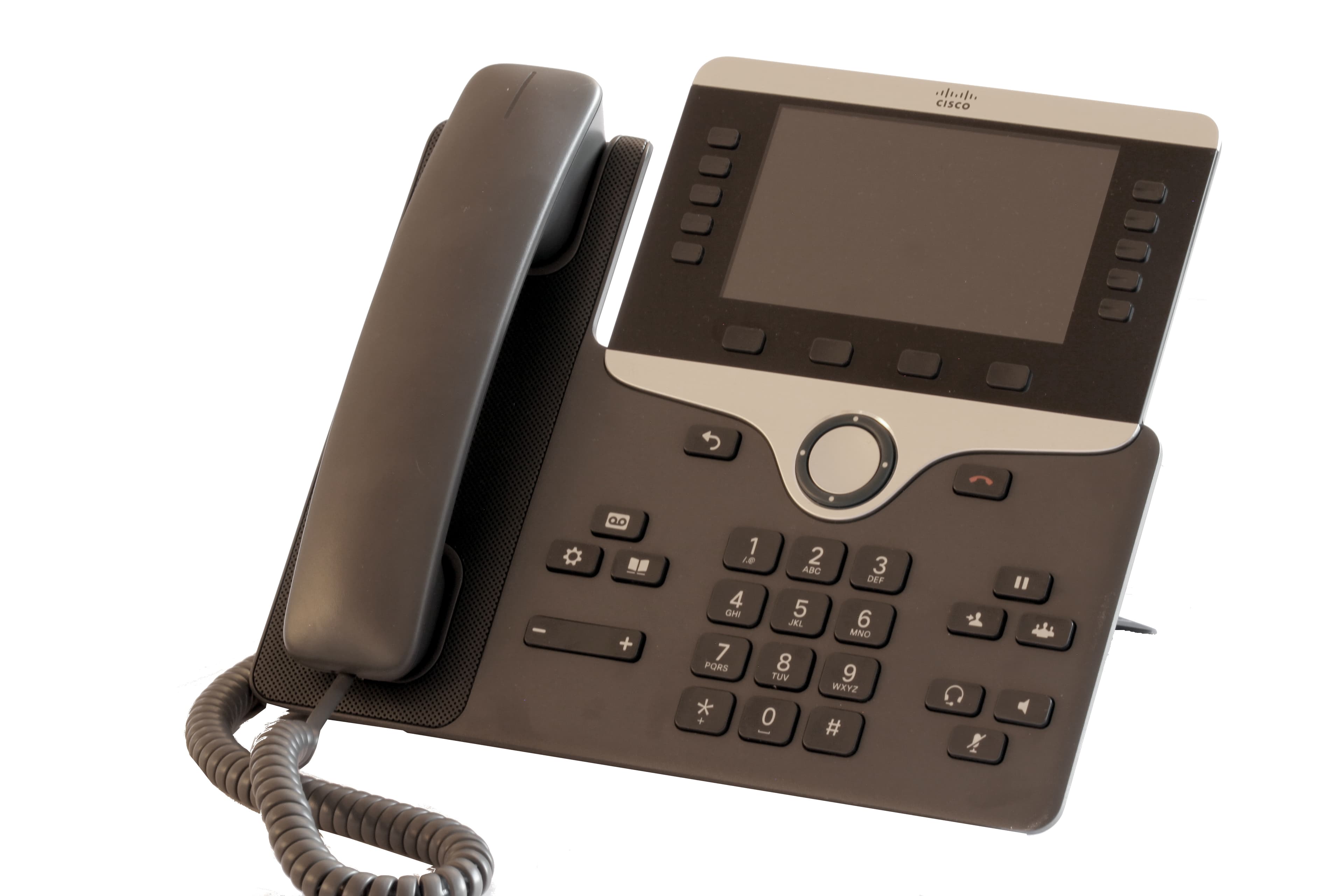
Connect your office phones

Example of a desk phone

Give your team extensions and call rules, with Kai available when the front desk needs a hand.

  • Choose which team members ring and in what order.
  • Set hours and decide where unanswered calls go.
  • Manage team phones and call handling in one account.

Phone shown for illustration. Confirm compatible handsets, equipment cost and delivery when arranging office setup.

See office plans →

Getting connected

Three things to decide, then your line is covered.

01

Tell Kai about the business

Your services, hours, the questions callers always ask, and the details you want collected on every call.

02

Point your number at Kai

Turn on conditional forwarding with your carrier so unanswered calls roll to Kai, or use a KaiCalls number. Your customers keep dialing the same number.

03

Decide when Kai picks up

Set the no-answer timer, your hours, and who rings first. Change any of it later by calling your own number and asking.

  • Keep the number your customers already have
  • Your phones still ring first, every time
  • Change the greeting or your hours by calling your own line
  • Every call recorded, summarized, and searchable later
3 Clear Choices · Real Business Phone Service

One flat price. Built into your phone line.

Run solo on your personal cell phone with zero hardware, or equip your front desk with pre-configured VoIP desk phones. Normal calls are always unlimited — Kai only covers the overflow.

Kai Backup
Zero Hardware
Cell Phone Safety Net · 100% Mobile
$10/ month

Run your business from the cell in your pocket. Rings your cell first; Kai answers on Ring 2 if you are busy, on a job, or driving.

Included in plan:
  • ~20 Kai-answered calls/mo
  • Zero hardware required — runs on your existing cell phone
  • Rings your cell first — Kai catches overflow on Ring 2
  • Instant SMS caller follow-up & voice memo to your phone
  • Caller Memory (Recognizes repeat clients)
  • Google Calendar scheduling & Jobber sync
  • 7-day free trial — no contracts, cancel anytime
There are no per-minute overage charges. Your plan includes an expected monthly call allowance. If your call volume stays higher, we recommend the next plan and notify you before anything changes. You can choose to keep your current plan, and we move you back down if volume drops.
Start 7-Day Free Trial
Kai Answering
Most Popular
Full AI Receptionist · 24/7 Coverage
$79/ month

Complete 24/7 AI receptionist for small businesses. Answers calls, qualifies leads, schedules appointments, and syncs immediately to your CRM.

Included in plan:
  • ~150 Kai-answered calls/mo
  • Zero hardware required — 100% mobile & web
  • 24/7 call answering, intake & appointment booking
  • Live warm transfers to your cell with whisper briefing
  • Instant SMS lead follow-ups with audio recordings & transcripts
  • Unlimited secretaries & team members (zero seat fees)
  • 7-day free trial with 30-day money-back guarantee
There are no per-minute overage charges. Your plan includes an expected monthly call allowance. If your call volume stays higher, we recommend the next plan and notify you before anything changes. You can choose to keep your current plan, and we move you back down if volume drops.
Start 7-Day Free Trial
Kai Office
Office Connections
Complete Office Phone System
$349/ month

Complete office phone system with desk-phone connections, simultaneous cell ringing, and warm transfers. Confirm physical handset fulfillment separately.

Included in plan:
  • Compatible SIP desk-phone connections; hardware confirmed separately
  • Unlimited normal desk phone & cell calls across your team
  • ~600 Kai-answered calls/mo
  • 3 Office Lines included — extra lines $29/mo each
  • Simultaneous ringing: front desk phones + technician cells
  • Ext 700 built into every handset to reach Kai or transfer
  • Warm transfers between front desk and field technicians
  • 7-day free trial with dedicated carrier onboarding
There are no per-minute overage charges. Your plan includes an expected monthly call allowance. If your call volume stays higher, we recommend the next plan and notify you before anything changes. You can choose to keep your current plan, and we move you back down if volume drops.
Start 7-Day Free Trial

Questions owners ask before they connect the line.

Do I have to give up my number?
No. The usual starting point is forwarding: your number stays exactly where it is, keeps ringing your phone first, and only unanswered calls roll to Kai. If you later want to move the number to KaiCalls for good, we walk you through the transfer — and nothing moves until you approve the date.
Does my cell still ring first?
Yes, if that is how you set it up. Your cell, your teammates’ cells, and your desk phones can all ring first. Kai only answers when nobody picks up within the time you choose.
What does the caller hear?
Your greeting, in the voice you pick, answering as your business. Kai works from the business details you provide — hours, services, common questions — and collects whatever you have asked it to collect.
What if the caller needs a real person?
You decide the fallback. Kai can transfer to a teammate, take a callback request, or send a link by text. Either way the call ends up in your account with the details.
Do I need to learn a new app?
No. You can run the whole thing by calling your own number and telling Kai what to change — the greeting, your hours, who rings first. The dashboard is there when you want it, not required to use it.

Want to hear it first? Call the demo at 1 (417) 386-2898

Stop sending missed calls straight to your competitors.

Start with the next call you cannot take.

$10/mo after your 7-day free trial, plus about $4 in regulatory fees and taxes, on their own line. Cancel anytime with a single tap inside your command center. No contracts, no hidden setup fees.