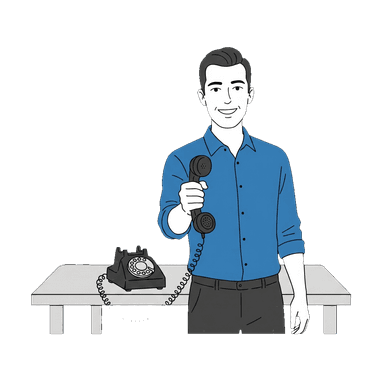
Stop Checking Another Dashboard.
Un-App: No Dashboard Required
You don't need another login. Another app. Another notification. Just call Kai. He'll tell you everything.
free browser demo; payment required for live phone service • 5-minute setup • Cancel anytime
- Calls Kai answered in the last 30 days
- —
- Spent on the phone with callers
- —
- Average call, start to finish
- —
Live from real calls, updated just now. Test calls and calls we placed ourselves aren't counted.
average SaaS tools a small business owner uses
time spent per day checking dashboards and notifications
apps required to manage KaiCalls
is all it takes to get your full briefing
The Dashboard Problem
Small business owners are drowning in software. Every tool promises to save time — and then demands you spend time learning it.
Too Many Logins
CRM, project management, accounting, scheduling, marketing, phone system, email. Every tool has its own login, its own notifications, its own learning curve.
Dashboard Fatigue
Critical information gets lost in notification noise. When everything is urgent, nothing is. Important leads buried under a wall of alerts.
Can't Check in the Field
The people who need KaiCalls most — field workers, attorneys in court, contractors on a job site — can't check dashboards. They need information delivered, not displayed.
Built for Desks, Not Reality
Most business software assumes you're sitting at a desk. Small business owners are in trucks, courtrooms, kitchens, and job sites. A dashboard doesn't help there.
Just Call Kai
No app. No login. No screen. Your entire business briefing — delivered by voice in 90 seconds.
Call your Kai number
Same number your customers call. Kai recognizes you as the owner.
"Hey Kai, who called today?"
Kai reads back every caller, lead, and message. Names, numbers, reasons, urgency levels.
Kai gives you the briefing
"You had 12 calls today. 3 new leads. Sarah Miller called about a kitchen remodel — high intent. Mike Torres needs a callback about his estimate."
"Send Mike a text: we can do Tuesday at 2pm"
Kai sends the SMS immediately. Mike gets the message. You never opened an app.
Done. Back to work.
Full briefing, actions taken, zero screens. Total time: 90 seconds.
What You Can Do By Phone
Everything a dashboard does — minus the dashboard.
Check Messages
"Kai, any messages?"
Full briefing with every caller and message.
Review Leads
"Kai, any hot leads?"
Lead details with scores and contact info.
Send Texts
"Kai, text Sarah: I'll be there at 3"
SMS sent immediately. Confirmed.
Send Emails
"Kai, email that lead a follow-up"
Draft created and sent via your connected Gmail.
Check Calendar
"Kai, what's on my schedule?"
Today's appointments read back to you.
Book Appointments
"Kai, book Mike for Thursday at 10am"
Appointment created. Calendar invite sent.
Still Have a Dashboard
Look, we're not anti-technology. KaiCalls has a full dashboard at kaicalls.com if you want it. Call transcripts, lead scoring, analytics, agent configuration — it's all there.
We just don't think you should need it to run your business. Use the dashboard when you want a deep dive. Use your phone for everything else.
Frequently Asked Questions
The Un-Answering-Service Series
Everything traditional answering services get wrong — and how Kai gets it right.